
An audio broadcasting corporate communications setup is a structured system that delivers real-time and scheduled audio messages to employees across one or more locations using professional broadcast infrastructure. Unlike a company-wide email or a video call, a well-designed internal audio channel reaches employees passively, without requiring them to stop what they are doing. Corporate communication professionals and team leaders are increasingly turning to dedicated audio broadcast systems because they solve a problem that written and visual channels cannot: reaching deskless, warehouse, and distributed workers during active shifts. This guide covers the tools, steps, and strategies you need to build one that actually works.
What tools and infrastructure does a corporate audio broadcast setup require?
A professional audio broadcasting corporate communications setup depends on three layers: hardware, software, and network. Getting any one of these wrong produces a system that sounds amateur, drops audio, or fails entirely under load.
Core hardware components
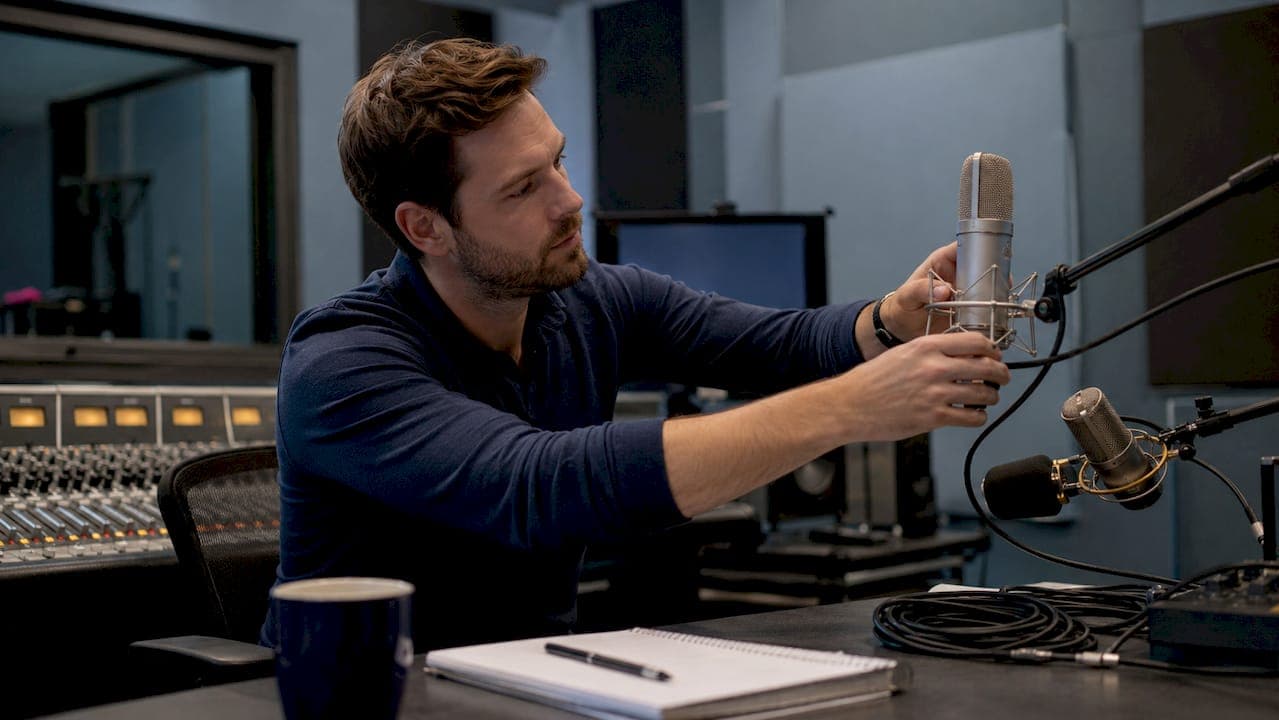
Your hardware list starts with the signal chain. You need broadcast-grade condenser or dynamic microphones (such as the Shure SM7B or Rode PodMic), a hardware or software mixer, audio interface, monitoring headphones, and endpoint speakers or PA system amplifiers. Each component in the chain must match signal levels. A weak link anywhere produces noise, distortion, or dropout.

Consumer-grade gear misconceptions are one of the most common and costly mistakes in corporate audio setups. Leaders often assume that purchasing a USB microphone and a laptop is equivalent to a professional broadcast system. The result is fragmented equipment that wastes time and produces low-quality audio assets that undermine the credibility of your communications.
Software platforms and network requirements
On the software side, you have several categories to consider: broadcast automation platforms, content scheduling tools, streaming encoders, and distribution management systems. Cloud-based radio platforms let you schedule, automate, and distribute audio without a permanent on-site studio. AI-powered tools like Myriad Cloud allow organizations to launch internal radio channels with minimal technical overhead.
| Component | Recommended Spec | Purpose |
|---|---|---|
| Microphone | Broadcast-grade dynamic or condenser | Clean, professional signal capture |
| Mixer/interface | Hardware mixer or audio interface | Signal routing and level control |
| Broadcast software | Cloud automation platform | Scheduling, automation, distribution |
| Endpoint speakers | PA-integrated amplified speakers | Consistent audio delivery at scale |
Pro Tip: Never run your broadcast traffic over shared corporate Wi-Fi. Even a well-configured wireless network introduces inconsistent packet delivery that causes audible glitches in live audio streams.
How to set up a corporate internal audio broadcast channel
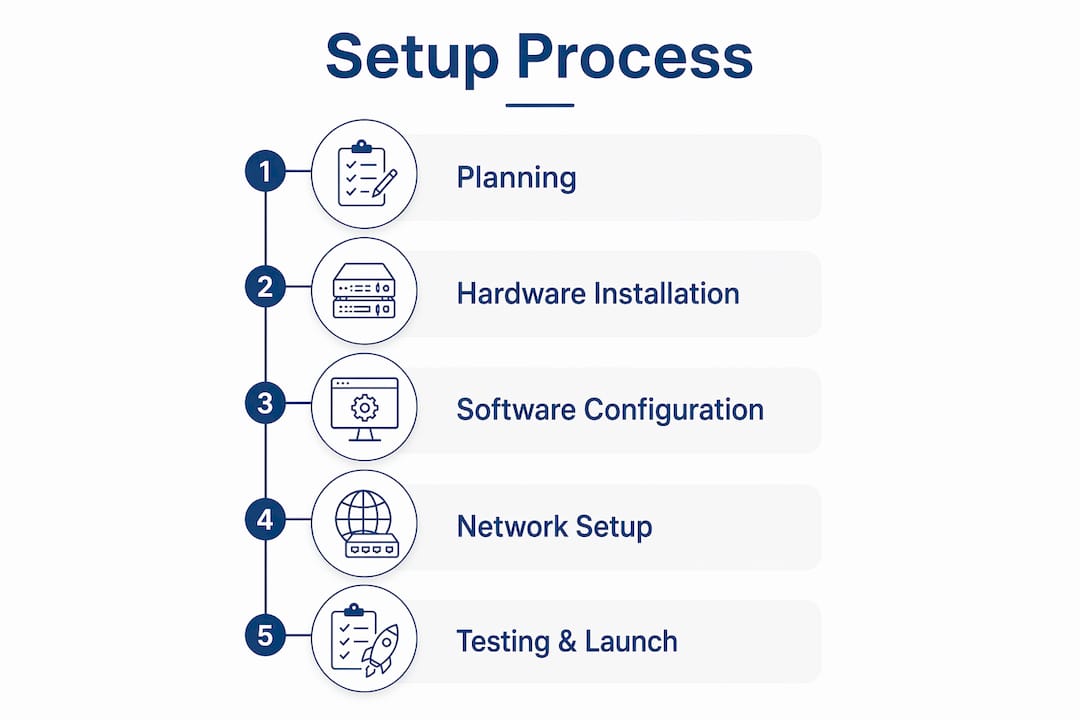
Setting up a corporate internal radio channel from scratch follows a logical sequence. Skipping steps, particularly in the planning and network configuration phases, creates problems that are expensive to fix after launch.
-
Define your communication goals. Decide what the channel will carry: company announcements, safety briefings, culture content, music, or a blend. Your content mix determines your scheduling requirements and the complexity of your automation setup.
-
Audit your existing infrastructure. Map your current PA systems, network topology, and any existing audio endpoints. Identify where you need new cabling, amplifiers, or speaker zones.
-
Design your network architecture. Isolate production audio traffic on a dedicated VLAN separate from your corporate Wi-Fi and general office traffic. This single step prevents the majority of live broadcast failures.
-
Install and configure hardware. Mount microphones, connect mixers and interfaces, and run signal tests at every endpoint. Document your signal chain so any engineer can troubleshoot it later.
-
Configure your broadcast software. Set up your automation platform with content categories, scheduling rules, and fallback playlists. Test your stream encoder settings against your network’s actual available bandwidth.
-
Integrate with existing systems. Connect your broadcast output to your PA system, warehouse audio zones, or any digital signage audio feeds. This is where internal radio integration with existing distribution methods maximizes passive listening during work hours.
-
Run a pre-launch test period. Broadcast to a limited zone for one to two weeks before full rollout. Collect feedback on audio quality, volume consistency, and content relevance.
-
Launch and monitor. Go live across all zones, assign a content owner, and schedule regular reviews of your programming mix.
| Setup phase | Key task | Responsible party | Typical timeframe |
|---|---|---|---|
| Planning | Goals, content mix, infrastructure audit | Comms lead | Week 1 |
| Network config | VLAN setup, QoS, IGMP Snooping | IT/network team | Week 1 to 2 |
| Hardware install | Microphones, mixers, PA integration | AV/facilities | Week 2 to 3 |
| Software config | Automation, scheduling, encoding | Broadcast engineer | Week 3 |
| Testing and launch | Zone testing, feedback, full rollout | Comms and IT | Week 4 |
Organizations using AI-powered platforms can launch internal radio within a few weeks without dedicated technical crews or permanent studios. That timeline assumes clean network infrastructure is already in place.
What are common challenges in corporate audio broadcasting setups?
Most corporate audio broadcast failures trace back to three sources: network architecture, signal chain quality, and acoustic environment. Knowing these in advance lets you design around them.
Network and signal chain failures
Network architecture is the most common failure point in live corporate broadcasts. When production audio traffic shares bandwidth with general office use, packet loss causes audible dropout. The fix is a segregated production VLAN with QoS rules that give audio traffic guaranteed bandwidth. This is not optional for a professional setup.
Signal chain quality is the second failure point. Many teams try to record remote conference calls as their primary audio source. Recording web calls produces poor quality audio because compression artifacts, background noise, and network jitter are baked into the recording. Local, high-fidelity capture at each source, with subsequent sync in post-production, is the only way to produce professional corporate audio.
Acoustic environment and quality assurance
“Treat your studio as a controlled acoustic environment with standardized acoustic treatments to eliminate hollow sound and ensure professional broadcast quality.” — Best Practices for Corporate Live Streaming, 2026
A bare conference room with hard walls and no acoustic treatment produces a hollow, reverberant sound that signals amateur production to every listener. Acoustic panels, carpet, and soft furnishings are not cosmetic choices. They are engineering requirements.
Here is a practical troubleshooting checklist for your setup:
-
Confirm VLAN segregation is active before every live broadcast
-
Test all microphone gain levels and check for clipping at the interface
-
Verify PA system amplifier levels across all zones before broadcast
-
Check encoder bitrate settings match your available upload bandwidth
-
Monitor stream health in real time during live broadcasts using your platform’s dashboard
Pro Tip: Assign one person as the broadcast engineer for every live event. Split responsibility between IT and communications teams is the fastest way to miss a critical failure during a live stream.
How does corporate audio broadcasting improve employee engagement?
A well-executed corporate audio system does something that email, intranets, and video calls cannot: it reaches employees who are not sitting at a desk. Warehouse workers, retail floor staff, distribution center employees, and field teams are largely unreachable through screen-based channels during their shifts.
Radio NEXT’s internal channel demonstrated this directly. The retailer NEXT built a 24/7 branded audio stream that blended business content with entertainment for deskless employees in its distribution centers. The result was measurably improved communication reach and employee engagement in a workforce that traditional digital channels had consistently failed to serve.
The strategic advantage of internal audio is passive consumption. Employees absorb announcements, safety briefings, and culture content while working, without requiring them to stop and read or watch something. Internal radio integrated with PA systems and warehouse audio zones makes this possible at scale.
The most effective corporate audio channels blend content types deliberately:
-
Company news and leadership updates
-
Safety briefings and compliance reminders
-
Recognition and culture segments
-
Music and entertainment to maintain energy and attention
-
Scheduled programming that employees can anticipate
AI-powered scheduling platforms like Myriad Cloud automate this content mix, reducing the manual workload on your communications team while maintaining a consistent, professional output. The set-and-forget scheduling model means your channel stays active and relevant without requiring daily manual intervention.
Key takeaways
A professional audio broadcasting corporate communications setup requires segregated network infrastructure, broadcast-grade hardware, and a deliberate content strategy to deliver consistent, high-quality audio to employees at scale.
| Point | Details |
|---|---|
| Network architecture is critical | Use a dedicated VLAN with QoS and IGMP Snooping to prevent packet loss during live broadcasts. |
| Consumer gear is not a substitute | Broadcast-grade microphones, mixers, and interfaces are required for professional audio quality. |
| Local capture beats web call recording | Record audio at the source and sync in post-production to avoid compression artifacts. |
| Acoustic treatment is an engineering requirement | Panels and soft furnishings eliminate hollow sound and are not optional for professional setups. |
| Passive consumption drives engagement | Internal audio reaches deskless workers during active shifts where screen-based channels fail. |
Why most corporate audio setups underdeliver (and how to fix that)
Having worked with broadcasters and organizations building internal audio systems, the pattern I see most often is this: the communications team leads the project, gets the content strategy right, and then hands the technical build to IT or facilities teams who treat it like a standard AV installation. The result is a system that works on paper but sounds wrong in practice.
The uncomfortable truth is that successful corporate broadcast setups require professional engineering and sustainable system design, not just gear procurement. The communications team needs to be in the room when network architecture decisions are made. QoS rules, VLAN design, and encoder settings directly affect whether your channel sounds credible or amateurish.
The second thing I would tell any team leader starting this process: get leadership on the channel early. Record a CEO message for the launch week. Have department heads contribute short segments. When employees hear familiar voices from people they respect, the channel gains legitimacy faster than any technical quality improvement can achieve.
Finally, treat your content schedule as a living document. The organizations that sustain internal audio channels long-term are the ones that review their programming mix quarterly, retire content that no longer resonates, and introduce new segments based on employee feedback. A channel that sounds the same in month twelve as it did in month one will lose its audience. Bespoke communication platforms earn their value through ongoing curation, not just initial deployment.
Liam Burke - Commercial Director, Broadcast Radio Ltd
How Broadcast Radio supports your corporate audio communications
Broadcast Radio provides professional radio software and cloud radio services built for organizations that need reliable, scalable audio broadcasting. Whether you are deploying a corporate internal radio channel for the first time or modernizing an existing setup, Broadcast Radio’s platform covers the full broadcast workflow: automation, scheduling, content distribution, streaming, and compliance. The platform supports traditional studio-based infrastructure, fully cloud-native operations, and hybrid environments, so it fits your existing setup rather than requiring you to rebuild from scratch. If you are ready to move from planning to deployment, Broadcast Radio has the expertise and tools to get your channel on air.
FAQ
What is a corporate audio broadcasting setup?
A corporate audio broadcasting setup is a system of hardware, software, and network infrastructure that delivers scheduled and live audio content to employees across one or more locations. It typically integrates with PA systems and existing communication channels to reach deskless and distributed workers.
How long does it take to set up a corporate internal radio channel?
Organizations using AI-powered platforms can launch an internal radio channel within a few weeks without permanent studios or dedicated technical crews, provided network infrastructure is already in place.
Why does internal audio broadcasting improve employee engagement?
Internal audio reaches deskless and warehouse employees passively during active shifts, a group that email and video channels consistently fail to serve. Branded internal radio channels like Radio NEXT have demonstrated measurable improvements in communication reach and engagement for distributed workforces.
What is the biggest mistake in corporate audio broadcast setups?
The most common mistake is recording remote conference calls as the primary audio source. Local, high-fidelity capture at each source produces professional quality. Recording web calls bakes compression artifacts and network noise into every asset.